





2026 Chevrolet Trax Wireless Apple CarPlay and Android Auto: Full Feature Guide
```
The 2026 Chevrolet Trax includes wireless Apple CarPlay and wireless Android Auto as standard equipment on every trim.
No cables required on any configuration, from the base LS up to the ACTIV.
This page covers how the integration works, what each trim adds, and where to see Trax inventory near Tulsa.
Feature Overview: Wireless Smartphone Integration on the 2026 Trax
Wireless Apple CarPlay and wireless Android Auto are standard on all five 2026 Trax trims: LS, LT, 1RS, 2RS, and ACTIV. Every buyer gets the feature regardless of trim choice, which is a meaningful contrast to many competitors that reserve wireless projection for mid-range or upper trims.
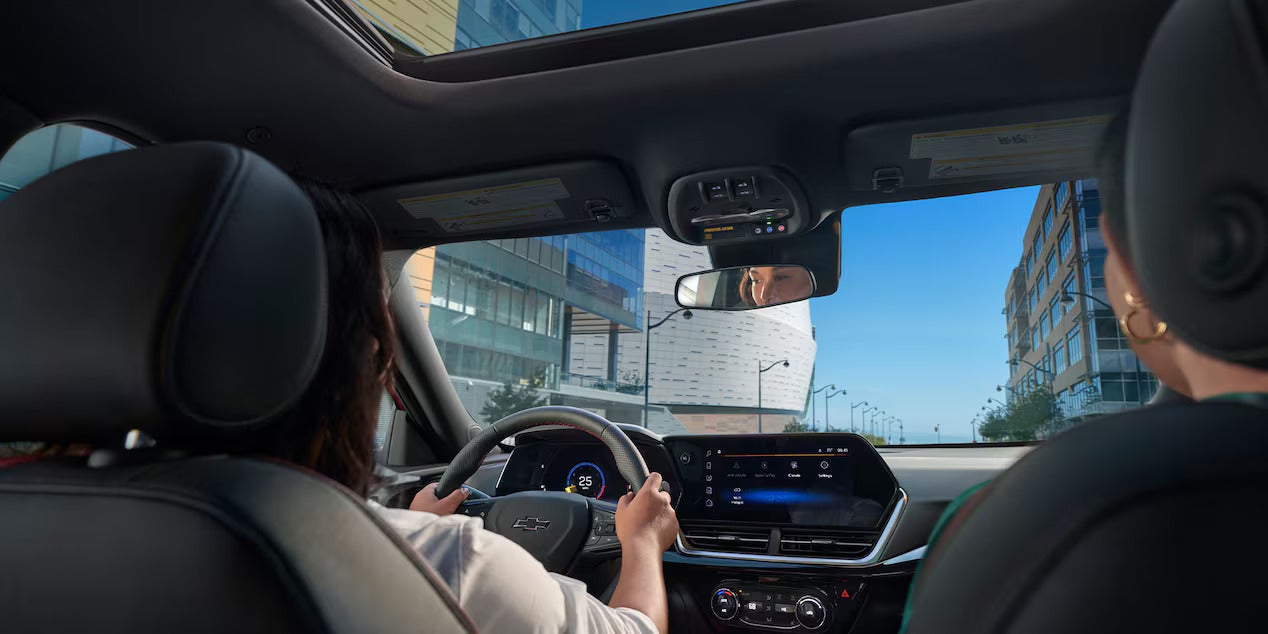
The system runs through the Trax infotainment display. The LS and LT trims use an 8-inch touchscreen. The 1RS, 2RS, and ACTIV step up to an 11-inch HD color touchscreen, giving the wireless interface more screen real estate for navigation, media, and messaging apps.
Because the connection is wireless, there is no USB cable to manage at the start of every trip. The phone pairs automatically once it has been connected the first time, and the system resumes the session each time the driver gets in.
How It Works: Wireless Projection Without a Cable
Wireless CarPlay and Android Auto use a combination of Bluetooth and Wi-Fi to move data between the phone and the vehicle. Bluetooth handles the initial handshake and authentication. Once the phone is recognized, the system switches to a direct Wi-Fi connection for the high-bandwidth tasks: navigation rendering, audio streaming, and voice commands through Siri or Google Assistant.
From the driver's perspective the process is straightforward. The phone connects automatically when it enters the cabin (after the first-time setup), and the Trax infotainment display shows the projected interface within seconds. The driver never touches a port.
The 2026 Trax also includes a Wi-Fi hotspot, which is a separate function from the wireless projection system. The hotspot provides internet connectivity for passengers on compatible devices, while wireless CarPlay and Android Auto run on a direct local connection between the phone and the vehicle.
Across the Trims: Screen Size and Supporting Tech
The wireless projection feature itself is identical across all trims, but the surrounding technology differs by trim.
| Trim | Screen Size | Supporting Tech |
|---|---|---|
| LS | 8-inch touchscreen | 4-speaker audio, Bluetooth, Wi-Fi hotspot, wireless CarPlay/Android Auto standard. Remote Start is available as an option. |
| LT | 8-inch touchscreen | 4-speaker audio, wireless CarPlay/Android Auto standard. Remote Start is standard. Heated front seats are standard. |
| 1RS | 11-inch HD touchscreen | The 1RS steps up to the 11-inch HD touchscreen, a 6-speaker audio system, single-zone automatic climate control, wireless charging (standard), Remote Start, and an 8-inch Driver Information Center. The larger display makes wireless navigation maps significantly easier to read at a glance. |
| 2RS | 11-inch HD touchscreen standard | 6-speaker audio, wireless charging (available), 8-way power driver seat, heated front seats, heated steering wheel, and Adaptive Cruise Control available. |
| ACTIV | 11-inch HD touchscreen standard | 6-speaker audio, wireless charging (available), 8-way power driver seat, heated seats and steering wheel standard, Adaptive Cruise Control available. The ACTIV also adds roof-mounted side rails and 18-inch Black painted aluminum wheels. |
For shoppers in Tulsa who prioritize the largest screen for their wireless smartphone integration, the 1RS is the most accessible entry point to the 11-inch display.
Real-World Benefit: What Wireless Projection Does Every Day
```The practical difference between wired and wireless CarPlay or Android Auto is most obvious during short trips. Plugging in a cable for a 10-minute drive to a Tulsa errand feels like friction. With the wireless system on the 2026 Trax, the phone connects before the driver finishes adjusting the seat.
Navigation is the most-used function. Apple Maps, Google Maps, and Waze all run through CarPlay and Android Auto, displaying turn-by-turn directions on the Trax's touchscreen with audio through the vehicle speakers. The driver keeps their eyes on the road and their hands on the wheel.
Voice commands reduce the need to touch the screen at all. Siri handles CarPlay, Google Assistant handles Android Auto, and both respond to commands through the steering-wheel-mounted controls on every Trax trim. Sending messages, making calls, and changing music all happen without the driver looking away.
The Trax backs up the wireless integration with Active Noise Cancellation on every trim, which keeps audio from phone calls and navigation prompts clear even on Oklahoma highways.
How It Compares: Wireless Integration in the Subcompact SUV Segment
Most subcompact SUVs offer wireless CarPlay and Android Auto, but the standard inclusion across every single trim on the 2026 Trax is not universal in this class. Some competitors restrict wireless projection to LT-equivalent and higher trims, requiring buyers to step up from the base model to get it.
The 2026 Trax also pairs the wireless system with a standard Wi-Fi hotspot on every trim, which competitors do not always include at the entry level. The combination of wireless projection plus in-cabin hotspot means the Trax provides full connectivity without requiring a higher-cost trim.
The upgrade to the 11-inch HD touchscreen on the 1RS, 2RS, and ACTIV gives the wireless interface a display size that rivals or exceeds what some competitors offer only on their top trim. At the 1RS price point, that screen is part of the standard equipment list, not an add-on package.
See the 2026 Trax at Jim Norton T-Town Chevrolet in Tulsa
The 2026 Chevrolet Trax puts wireless Apple CarPlay and Android Auto on every trim, and the 11-inch HD touchscreen on the 1RS, 2RS, and ACTIV gives that integration the display it deserves. Shoppers in Tulsa and the surrounding area can view current inventory, confirm which trims are in stock, and schedule a test drive at Jim Norton T-Town Chevrolet.
Frequently Asked Questions
Yes. Wireless Apple CarPlay is standard on every 2026 Trax trim, including the base LS. No cable or adapter is required.
Yes. Wireless Android Auto is standard on all five trims: LS, LT, 1RS, 2RS, and ACTIV.
The LS and LT use an 8-inch color touchscreen. The 1RS, 2RS, and ACTIV use an 11-inch HD color touchscreen, which provides a larger display for navigation and media.
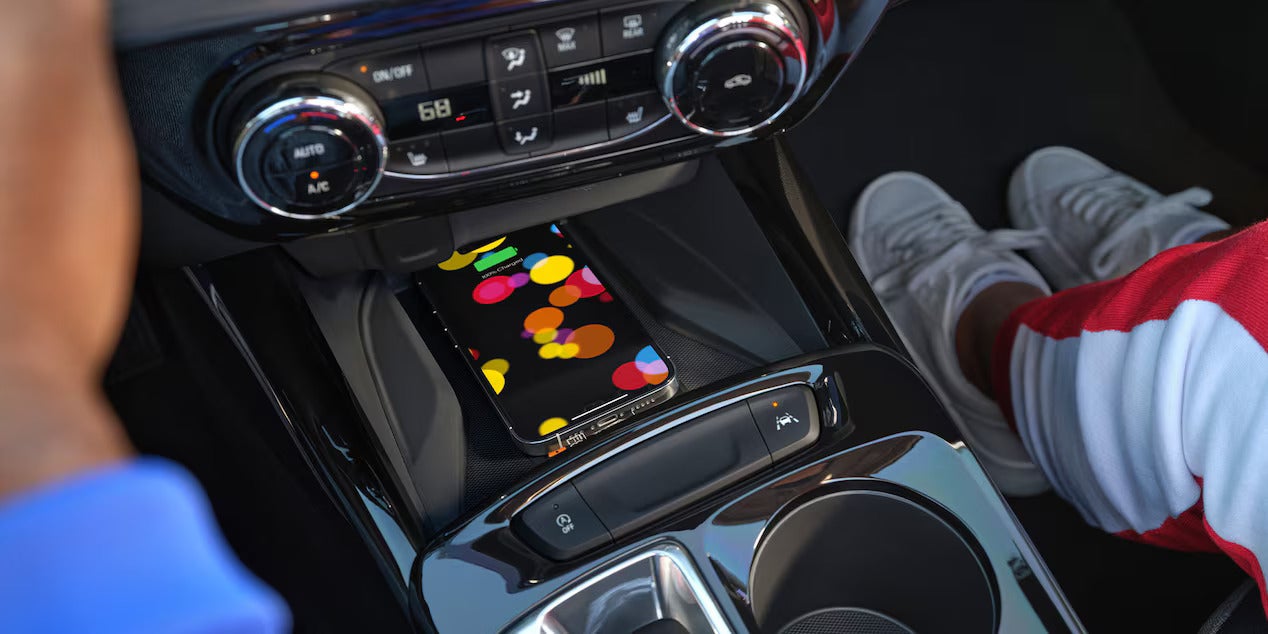
Wireless charging is standard on the 1RS and available on the 2RS and ACTIV. It is not available on the LS or LT. Wireless charging is separate from wireless CarPlay and Android Auto, which do not require the charging pad.
No. The Wi-Fi hotspot provides internet access for passengers on other devices. Wireless CarPlay and Android Auto use a direct local Wi-Fi connection between the phone and the vehicle, separate from the hotspot.
Yes. Steering-wheel-mounted controls are standard on every 2026 Trax trim and work with both CarPlay and Android Auto for calls, navigation, and media.
The 1RS is the entry point for the 11-inch HD touchscreen, standard wireless charging, a 6-speaker audio system, and single-zone automatic climate control, making it the most accessible trim for buyers who want the full wireless integration package.

Jim Norton’s T-Town Chevrolet (T-Town Chevy) makes every effort to ensure our Internet Advertised prices are accurate. Pricing on this website includes all factory incentives including applicable Consumer and/or Bonus Cash. All incentives and offers, listed beneath “Jim Norton’s Price” are conditional and may not be applied or stacked with Consumer and/or Bonus Cash and other incentives. All customers and purchases are eligible for the “Discount Available to Everyone” and is unconditional. Our website provider receives pricing, pictures, vehicle description and options from multiple sources and may be delayed. T-Town Chevy will not be held responsible for erroneous vehicle data or pricing. The customer is responsible for calling 918-921-2100 to confirm vehicle pricing, description, options and availability. Jim Norton T-Town Engines for Life applies to new vehicles only and is non-transferable to second owner. We follow the Chevrolet owner’s manual regarding mileage requirements for oil changes. Corvettes, diesels and commercial vehicles are not applicable. Not eligible to use at other Jim Norton Auto Group stores.
The Manufacturer's Suggested Retail Price excludes tax, title, license, dealer fees and optional equipment. Dealer sets final price.